Universal TPMS Sensors
Universal TPMS sensors are aftermarket replacement sensors designed to provide coverage across multiple compatible vehicle applications. For professional tyre shops and garages, universal sensors can reduce the number of individual replacement TPMS sensors that need to be held in stock while providing a practical alternative to stocking numerous OE sensor part numbers.
There are different types of universal replacement sensors, with programmable TPMS sensors and configurable TPMS sensors being two of the main approaches. Bartec TPMS tools support major universal sensor solutions, including Bartec Rite-Sensor®, Schrader EZ-sensor®, Alligator Sens.it™ and Huf IntelliSens™.
Programmable TPMS sensors are programmed for a compatible vehicle application using suitable TPMS equipment. Depending on the sensor and replacement procedure, this can include creating a new sensor ID or copying information from the sensor being replaced. Configurable TPMS sensors contain vehicle protocols and parameters within the sensor, with the appropriate application selected or activated during the replacement process.
Explore Bartec's wider range of programmable and replacement TPMS sensors for professional tyre and automotive applications.
Benefits of universal TPMS sensors for workshops:
- Reduce the number of replacement sensor part numbers that need to be held in stock
- Simplify stock management and associated inventory costs
- Reduce the risk of selecting the wrong replacement sensor
- Improve availability across a wide range of compatible vehicle applications
- Support a more efficient TPMS sensor replacement process
Types of Universal TPMS Sensor
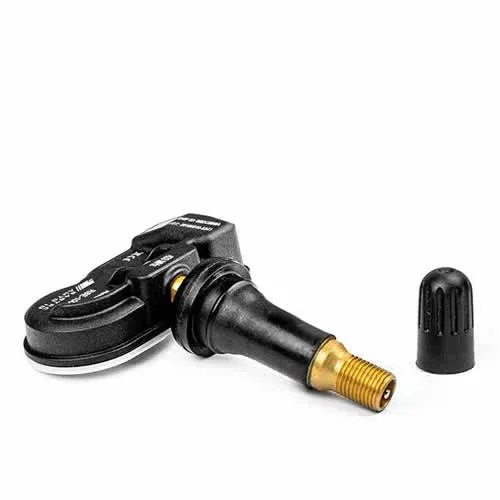

Bartec Rite-Sensor® RS1000 is a universal programmable TPMS sensor designed as an aftermarket replacement for compatible Direct TPMS applications. Using a single sensor part number across an extensive range of vehicle applications can help workshops reduce stock requirements and simplify TPMS sensor replacement. Rite-Sensor® comes assembled with a rubber snap-in valve, with an optional aluminium clamp-in stem included.
Key Factors
Which Bartec tools can program and test the Rite-Sensor®?
- Rite-Sensor® can be used with the Bartec TECH350, TECH450 and TECH600 TPMS tools.
Can the sensor be programmed in a wheel?
- No. Rite-Sensor® must be programmed for the specific vehicle application before installation.
How many Rite-Sensor® products do I need to stock?
- Rite-Sensor® uses a single sensor part number to provide coverage across an extensive range of compatible vehicle applications, helping workshops reduce sensor stock requirements.
Can I save time using Rite-Sensor®?
- Rite-Sensor® can help reduce stock complexity and support a more efficient TPMS sensor replacement process.
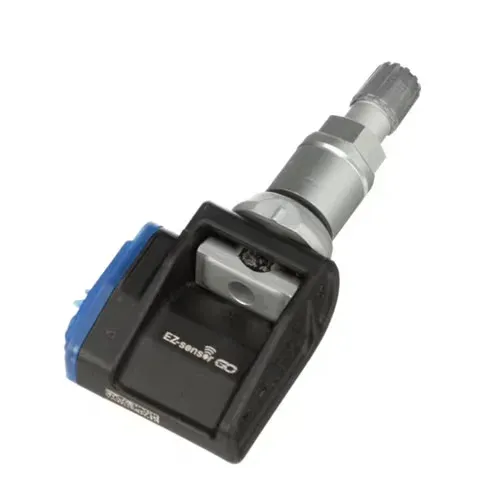

EZ-sensor® must be programmed prior to installation and relearned to the vehicle. A programming tool compatible with EZ-sensor is required. For maximum coverage, ensure your TPMS tool is updated to the latest software available.
Key Factors
Which Bartec tools can program and test the EZ-sensor®?
- TECH600, TECH450 & TECH350 TPMS Tools
Can the sensor be programmed in a wheel?
- Yes. This can be particularly useful during busy periods when workshop throughput and process time are important.
How many EZ-sensor® products do I need to stock?
- EZ-sensor® is available in two different frequencies, with rubber snap-in or clamp-in valve stem options.
Can I save time using EZ-sensor®?
- Using the original sensor ID and the same wheel position avoids the need to perform the vehicle-specific relearn procedure.
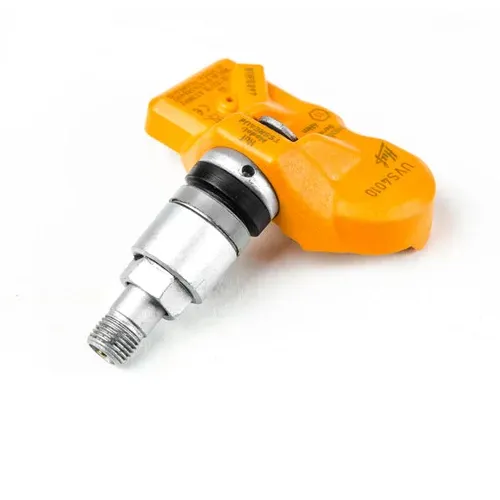

The BH SENS (Huf IntelliSens™) universal sensor is pre-programmed with the protocols of numerous tyre pressure sensors across different vehicle applications. When fitted, a compatible diagnostic device is used to configure the sensor for the required application. This can help support a more efficient TPMS sensor replacement process in the workshop.
Key Factors
Which Bartec tools can program and test the IntelliSens™ sensor?
- TECH600, TECH450 & TECH350 TPMS Tools
Can the sensor be programmed in a wheel?
- Yes, but only if the tyre pressure is lower than 1 bar.
How many IntelliSens™ products do I need to stock?
- There are two different types available.
Can I save time using IntelliSens™?
- Using the original sensor ID and the same wheel position avoids the need to perform the vehicle-specific relearn procedures.
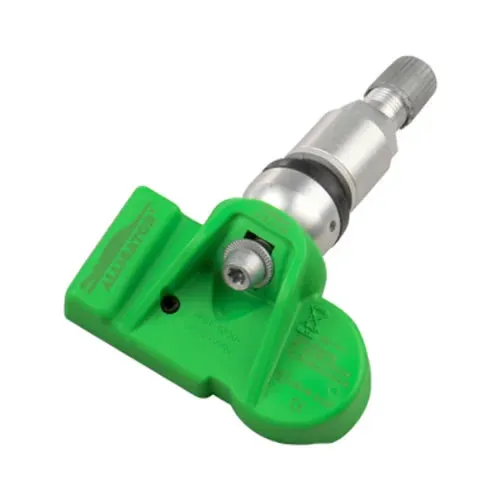

Sens.it™ is a fully configurable replacement sensor from Alligator. A compatible TPMS tool is required to set the protocol ID based on the vehicle make, model and year.
Key Factors
Which Bartec tools can configure and test the Sens.it™ sensor?
- TECH600, TECH450 & TECH350 TPMS Tools
Can the sensor be programmed in a wheel?
- Yes. This can be particularly useful during busy periods when workshop throughput and process time are important.
How many Sens.it™ sensors do I need in stock?
- Three different types. 315 MHz sensors are available with both rubber snap-in and clamp-in valve stems. The 434 MHz version is available with a clamp-in valve.
Can I save time using Sens.it™?
- Using the original sensor ID and the same wheel position avoids the need to perform the vehicle-specific relearn procedures.
Are different valve colours available?
- The valve is available in anodised silver, titanium grey and black, in addition to a chrome surface finish for custom wheels.
| Sensor Type | How They Work | Vehicle Relearn | Examples Featured on This Page | Supported by Bartec Tools |
|---|---|---|---|---|
| Programmable Universal Sensors | The required vehicle application and sensor information are programmed into the replacement sensor using a compatible TPMS tool. | Required if a new sensor ID is introduced. When an existing sensor ID is successfully copied, a separate relearn may not be required for some vehicle applications. |
Rite-Sensor® EZ-sensor® Sens.it™ |
YES |
| Configurable Universal Sensors | Vehicle protocols and parameters are already stored within the sensor, with the required application selected or activated using a compatible TPMS tool. | Required if a new sensor ID is introduced. When an existing sensor ID is successfully copied, a separate relearn may not be required for some vehicle applications. | IntelliSens™ | YES |
Bartec TPMS tools support a wider range of aftermarket replacement sensors. Available sensor coverage and relearn procedures may vary by tool, software version and vehicle application. Always follow the procedure shown on the Bartec TPMS tool for the selected vehicle.